


FILEFIND STUDIO - LOCAL DIGITAL ASSET MANAGEMENT

I designed and built FileFind Studio, a Digital Asset Management app for the Tri Land studio. It runs entirely on a local Mac Studio connected to our NAS, with no cloud services, so every file and piece of data stays in-house.
The goal was simple: make years of artwork easy to find. The app indexes every file on the network drives, uses local AI models to understand what each image contains, and lets designers and the sales team search by keyword, by description or by uploading an image. A team of AI agents keeps the library organized in the background, while a human approval step keeps quality in check.
Login Page
Every user signs in with their own account, and access depends on their role. Designers get the full library and the tools to manage files. The sales team gets a focused view built around the Render Gallery. Administrators control users, approvals and the AI agents. Each person sees what they need and nothing that could get in their way.
Browse Files Navigation
Browse Files mirrors the studio’s NAS folder structure, so the layout feels familiar from day one. Users can move through folders, preview artwork and see file details without opening any other software. When a file needs work, it opens directly in the matching application on the Mac, straight from the app, with no digging through Finder.
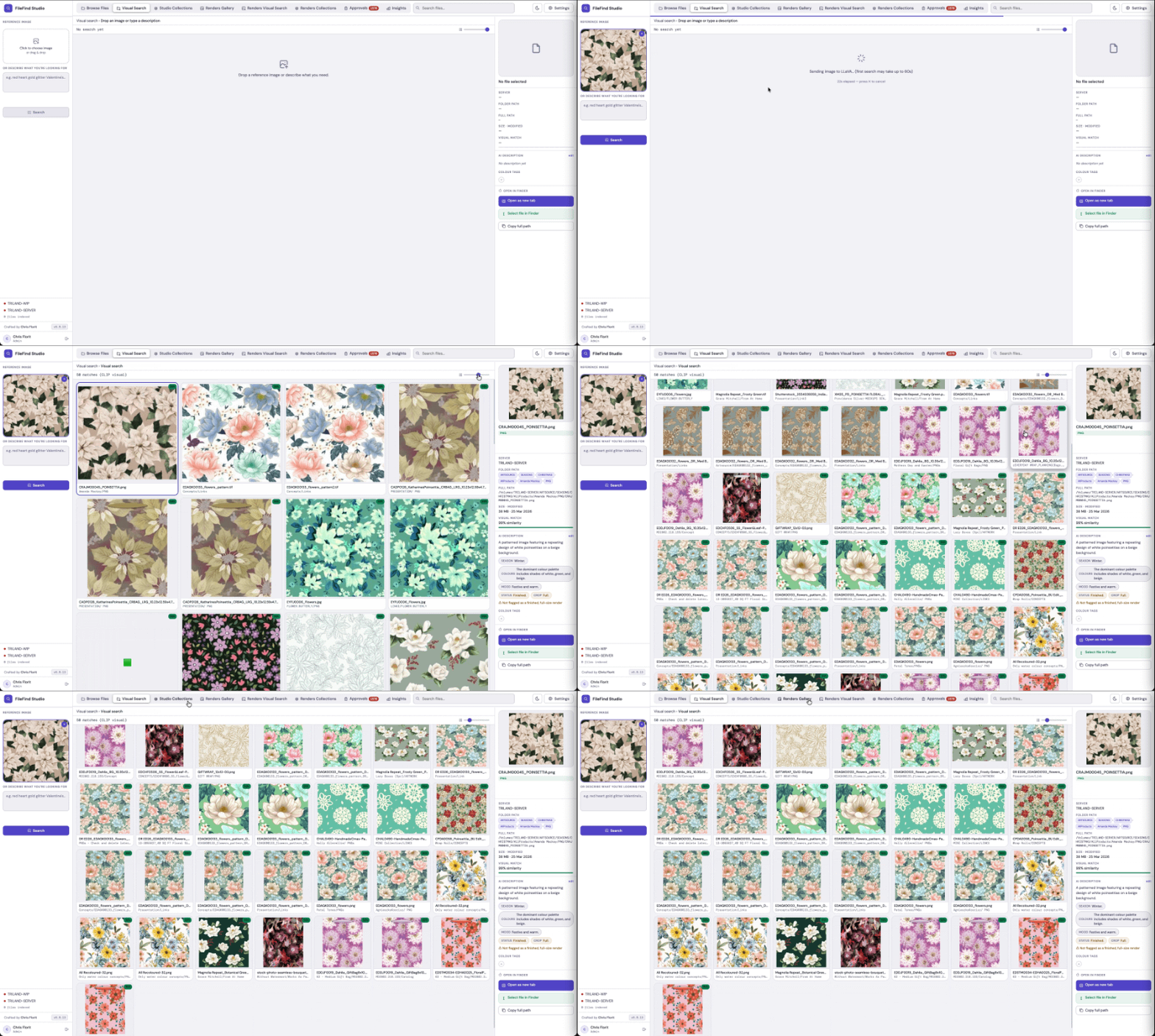
Visual Search
Visual Search lets you find artwork using an image instead of words. Upload a picture, and the app returns the same artwork if it exists in the library, along with designs that look similar in style, composition or colour. It solves the most common question in the studio: “Do we already have something like this?”
Render Gallery
The Render Gallery is a simplified space built for the sales team. It shows finished renders in a clean, easy-to-browse layout, so sales can pick reference artwork and send it to designers without needing to understand the full file structure. Fewer back-and-forth emails, clearer briefs.
Approvals
The AI agents never move files into the Render Gallery on their own. Instead, they identify artwork they believe belongs there and place it in an approval queue for a person to review. Every approval or rejection is recorded and fed back into the system, so the criteria the agents use get sharper the more the app is used. Approvals are also connected to Microsoft Teams, so reviewers are notified where they already work.
Dark Mode
The entire app has a full Dark Mode, designed for people who are sensitive to bright screens or who spend long hours reviewing artwork. Every screen, from browsing to approvals, was built to work in both light and dark.
AI Agents
FileFind Studio runs seven AI agents, each with one job, coordinated by a Supervisor agent that assigns work and checks results. Together, they handle indexing new files, writing descriptions, matching related artwork, flagging candidates for the Render Gallery and keeping the library clean. Their activity streams live to a log, so you can see exactly what each agent is doing at any moment.
Colour Tags
Each season is assigned its own colour. Artwork is tagged with its season’s colour as it enters the system, and those tags carry through to the Render Gallery, where they become filters. Sales can narrow down by season in a single click, and the colour coding makes it easy to tell collections apart at a glance.
AI Descriptions
Every indexed file gets a written description generated by a local vision model. The AI looks at the image and describes what it sees: subject, style, colours, layout and other details. Those descriptions become searchable text, so a user can type “blue floral pattern with gold accents” and find matching artwork even if no one ever named the file that way.
File Index
Indexing is what makes everything else possible. Each image is processed by CLIP, which creates a visual fingerprint that captures what the artwork looks like. LLaVA then adds the written description. Together they give every file a searchable digital footprint, by image and by text, built automatically as new work lands on the drives.
Review Descriptions
AI descriptions are a strong starting point, but they aren’t always right. Review Description lets the team check what the AI wrote for each file and correct it where needed. Missing details can be added, wrong ones removed, and studio-specific terms the AI wouldn’t know, like collection names or client references, can be included. Once a description is reviewed, the file becomes easier to find, and search results get more accurate across the whole library.
FileFind Studio started as a fix for a daily frustration: good artwork getting lost on shared drives. It became the system the studio now relies on to find, review and share its work. It reflects how I approach design leadership: understand how a team actually works, find where time is being lost and build the tool that gives it back.